

Here’s the truth: your website is making judgments about your business in 0.05 seconds. That’s how long it takes visitors to form an opinion.
After designing custom WordPress sites for 230+ businesses across Europe and the Gulf (and honestly, probably closer to 250 now), I’ve learned one thing: custom WordPress website design isn’t about looking pretty—it’s about converting visitors into customers.
Your WordPress site needs to stand out. Cookie-cutter templates won’t cut it anymore. This guide shows you everything about custom design, from planning to launch.
In this article, you’ll discover:
What makes a custom WordPress design different
Benefits over template-based sites
Essential design elements for conversions
Cost breakdown and timelines
How to choose the right designer
Common mistakes to avoid
Let’s build something remarkable.
What Is Custom WordPress Website Design?
Custom WordPress website design means building a unique site from scratch, tailored specifically to your brand, business goals, and audience needs.
Unlike pre-made themes where thousands of sites look identical, a custom design creates something entirely yours. Every element—layout, colors, features, functionality—is designed for your specific requirements.
Think of it like buying a tailored suit versus off-the-rack. Both cover you, but one fits perfectly and makes the right impression.
I worked with a luxury furniture brand in Marseille called Élégance Interiors. They tried three different premium themes before realizing none captured their high-end aesthetic. We built a custom design with unique product showcases, interactive room visualizers, and a premium materials selector. Their conversion rate jumped 156%.
Custom design combines WordPress development expertise with strategic UX/UI design, creating sites that look stunning and perform brilliantly.
Custom Design vs WordPress Themes
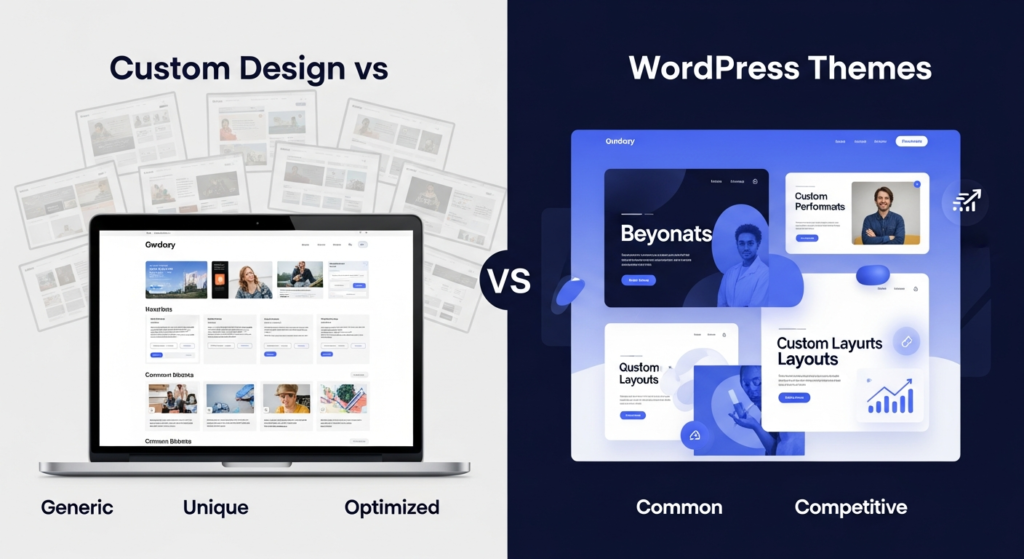
Pre-Made Themes
WordPress themes are ready-to-use templates. You install, customize colors and text, add content, and launch.
Pros: Fast setup, lower initial cost, included features, and regular updates.
Cons: Limited customization, looks like competitors, bloated code, harder to scale, and potential conflicts.
A consulting firm in Riyadh bought a popular business theme. Looked professional initially. Then they discovered 200 other companies in their region using the identical design. Trust? Gone.
Custom WordPress Design
Built from the ground up for your specific needs. Designers create unique layouts, developers code custom functionality, and everything aligns with your brand.
Pros: Completely unique, optimized performance, perfect brand match, scalable architecture, competitive advantage.
Cons: Higher upfront cost, longer development time, requires a skilled team.
For businesses serious about their online presence, custom design isn’t an expense—it’s an investment.
Benefits of Custom WordPress Website Design
Complete Brand Control
Your brand has personality. Custom design expresses it perfectly.
Colors, typography, imagery, spacing, animations—everything reflects your brand identity. A boutique hotel in Porto called Riverview Retreats needed a design reflecting their coastal luxury positioning. We created custom illustrations, elegant scroll animations, and a booking flow that felt premium. Their direct bookings increased 89%.
Optimized Performance
Templates include features you’ll never use, slowing your site down. Custom design includes only what you need.
Clean code means faster loading. Every 100ms delay costs conversions. Google prioritizes fast sites in rankings. I’ve seen custom sites load 3-5x faster than comparable theme-based sites.
A sporting goods retailer in Tallinn had a bloated theme slowing their store. Custom redesign reduced page load from 4.2 seconds to 1.1 seconds. Their mobile conversions tripled.
Better SEO Results
Search engine optimization starts with site architecture. Custom design builds SEO into the foundation.
Semantic HTML, optimized code structure, proper heading hierarchy, fast loading, mobile-first approach—all built correctly from day one. I’ve watched custom sites outrank competitors simply because their technical foundation was superior.
Scalability and Flexibility
Your business grows. Your site should grow with it.
Custom architecture makes adding features, pages, or functionality straightforward. No wrestling with theme limitations or breaking existing features. An educational platform in Ghent started with basic course listings. As they grew, we seamlessly added live streaming, student portals, certification systems, and payment processing without rebuilding.
Competitive Advantage
In crowded markets, differentiation matters. Custom design makes you memorable.
When three competitors use the same theme, the one with a custom design wins attention and trust. A financial advisory firm in Bahrain competed against 40+ similar firms. Their custom WordPress website with interactive financial calculators and personalized dashboards made them the obvious choice.
Enhanced User Experience
Custom design prioritizes your users’ specific journey and needs.
We map user flows, identify pain points, design intuitive navigation, and create experiences that guide visitors toward conversion. Generic themes can’t do this. A manufacturing equipment supplier in Bremen had complex product catalogs. Custom filtering, comparison tools, and specification downloads were designed specifically for their technical buyers.
Essential Elements of Custom WordPress Design
Strategic Planning and Research
Before designing anything, understand your audience, competitors, and goals.
User personas, competitor analysis, market research, conversion goal mapping—this foundation determines design success. I spend 20-30 hours on research before sketching a single layout.
Unique Visual Design
This is where your brand comes alive visually.
Custom layouts that break away from standard templates, unique color schemes aligned with brand psychology, custom typography combinations, original imagery and graphics, thoughtful white space usage.
A wellness clinic in Stockholm wanted to convey calm and expertise. We designed soft, flowing layouts with plenty of breathing room, calming colors, custom illustrations of their treatments, and subtle animations that felt peaceful, not flashy.
Custom Functionality
Build exactly what your business needs, nothing more, nothing less.
Custom forms, specialized calculators, unique booking systems, custom dashboards, API integrations, interactive tools—whatever serves your users. An architectural firm in Amman needed a project showcase with filterable galleries, 3D model viewers, and client testimonial integration. Off-the-shelf couldn’t deliver this.
Mobile-First Responsive Design
Over 60% of web traffic is mobile now. Your design must work flawlessly on every device.
Responsive web design isn’t just shrinking desktop layouts. It’s designing specifically for mobile users first, then scaling up. Touch-friendly buttons, readable text without zooming, optimized images, fast mobile loading.
I’ve seen businesses lose 70% of potential customers because their site was unusable on phones.
Speed Optimization
Fast sites convert better and rank higher.
Optimized images, minimal HTTP requests, efficient code, lazy loading, CDN integration, browser caching—all built into a custom design from the start. Target under 2 seconds load time on decent connections.
Accessibility Standards
Your site should work for everyone, including users with disabilities.
Proper ARIA labels, keyboard navigation, screen reader compatibility, color contrast ratios, alt text for images—these aren’t optional. They’re legal requirements in many regions and expand your audience. Plus, accessibility improvements often boost SEO performance too.
Security Features
Custom sites can implement robust security from the ground up.
Custom login URLs, two-factor authentication, security headers, input validation, SQL injection prevention, XSS protection—built into the architecture. A financial services platform in Riga needed enterprise-level security. We implemented custom authentication, encrypted data storage, and audit logging as core features.
The Custom Design Process
Discovery and Planning (1-2 weeks)
Understand business goals, target audience, competitor landscape, required features, and content strategy.
Detailed questionnaires, stakeholder interviews, user research, technical requirements gathering. This phase prevents expensive changes later.
Wireframing and Architecture (1-2 weeks)
Create site structure and basic layouts before visual design.
Sitemaps, user flow diagrams, wireframes for key pages, navigation planning, content hierarchy. We focus on functionality and user experience, not aesthetics yet.
Visual Design (2-3 weeks)
Transform wireframes into beautiful, branded designs.
Mood boards, color palette selection, typography choices, homepage design, internal page designs, interactive element design. Usually design 3-5 key page types that establish the visual system.
A luxury watch retailer in Valencia needed elegance and precision reflected visually. We created a minimalist design with large product photography, subtle gold accents, and sophisticated typography that matched their Swiss-made positioning.
Development (4-6 weeks)
Convert approved designs into functioning WordPress website design.
Custom theme development, plugin integration or custom development, responsive coding, functionality implementation, content management system setup, third-party integrations.
This is where designers and WordPress developers collaborate closely. Design vision must translate perfectly to code.
Content Integration (1-2 weeks)
Add actual content—text, images, videos, products.
Sometimes clients provide content. Often we help create it. SEO optimization happens here—meta descriptions, title tags, alt text, header structures, internal linking.
Testing and Quality Assurance (1-2 weeks)
Test everything before launch.
Browser testing (Chrome, Firefox, Safari, Edge), device testing (phones, tablets, desktops), functionality testing, form submissions, e-commerce checkout, speed testing, accessibility audits, security scans.
An e-commerce electronics store in Doha nearly launched with a broken mobile checkout. Testing caught it. Would’ve cost thousands in lost sales.
Launch and Post-Launch (1 week)
Deploy to production, monitor closely, fix any issues immediately.
DNS configuration, SSL installation, final backups, search engine submission, analytics setup, performance monitoring. We stay alert for 48-72 hours post-launch.
Ongoing Maintenance
Websites aren’t “finished.” They evolve.
Regular updates, security patches, performance optimization, content updates, feature additions. Monthly WordPress maintenance keeps sites secure and effective.
Cost of Custom WordPress Website Design
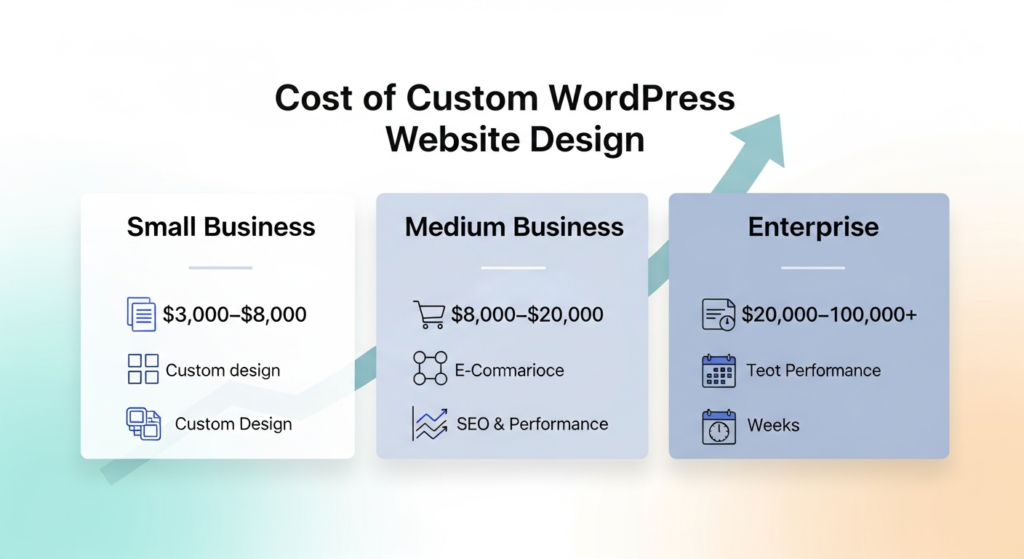
Small Business Sites ($3,000-$8,000)
Basic custom design for service businesses, small e-commerce, or professional portfolios.
10-15 pages, custom design, mobile responsive, basic SEO, contact forms, blog functionality. Development time: 6-8 weeks.
Medium Business Sites ($8,000-$20,000)
More complex sites with custom features and extensive content.
25-40 pages, advanced custom design, e-commerce with 50-200 products, custom functionality, API integrations, advanced SEO. Development time: 8-12 weeks.
Enterprise Sites ($20,000-$100,000+)
Large-scale sites with complex requirements and custom applications.
Unlimited pages, fully custom web development, advanced e-commerce, custom portals or dashboards, multiple integrations, multilingual support, enterprise hosting. Development time: 12-24 weeks.
I built a manufacturing equipment catalog for a company in Bremen. Over 2,000 products, custom specification filtering, dealer locator, quote request system, multi-language support. Investment: $45,000. ROI within 8 months through increased qualified leads.
Factors Affecting Cost
Design complexity, number of pages, custom functionality requirements, e-commerce needs, content creation services, integrations needed, timeline urgency, designer experience level.
Cheaper isn’t better. You get what you pay for. A $1,500 “custom” design is usually a modified template. Real custom work requires skilled designers, developers, and time.
Choosing the Right Designer or Agency
Portfolio and Experience
Review their previous custom work. Do they show range? Quality? Results?
Look for diversity in industries served, evidence of problem-solving, before/after metrics, client testimonials. Ask to see 5-10 custom projects, not just their best one.
WordPress Expertise
They must deeply understand WordPress development, not just design.
Ask about custom theme development experience, plugin development capabilities, WordPress best practices knowledge, security understanding, performance optimization skills.
A designer who only works in Photoshop isn’t enough. You need developers who understand WordPress architecture.
Process and Communication
How do they work? What’s their timeline? How often do they update you?
Clear project phases, defined deliverables, regular check-ins, revision policies, communication preferences. Red flag: vague timelines or poor communication during sales process. It won’t improve later.
Strategic Thinking
Great designers think beyond aesthetics. They understand business goals.
Do they ask about your audience? Competitors? Goals? Conversion priorities? Or do they just ask what colors you like? Strategy separates good designers from great ones.
Technical Capabilities
Can they handle your specific needs?
E-commerce experience if you’re selling online, integration experience with your CRM or tools, multilingual if you need it, accessibility knowledge, security expertise.
An educational technology company in Gothenburg needed LMS integration. Many designers said “yes” during sales. Only two had actually done it. Guess which ones gave realistic timelines?
Pricing Transparency
Understand exactly what’s included and what costs extra.
Number of design revisions, number of pages included, additional page costs, content writing services, post-launch support, training provided, ongoing maintenance options.
Hidden costs destroy budgets. Get everything in writing.
Common Mistakes to Avoid
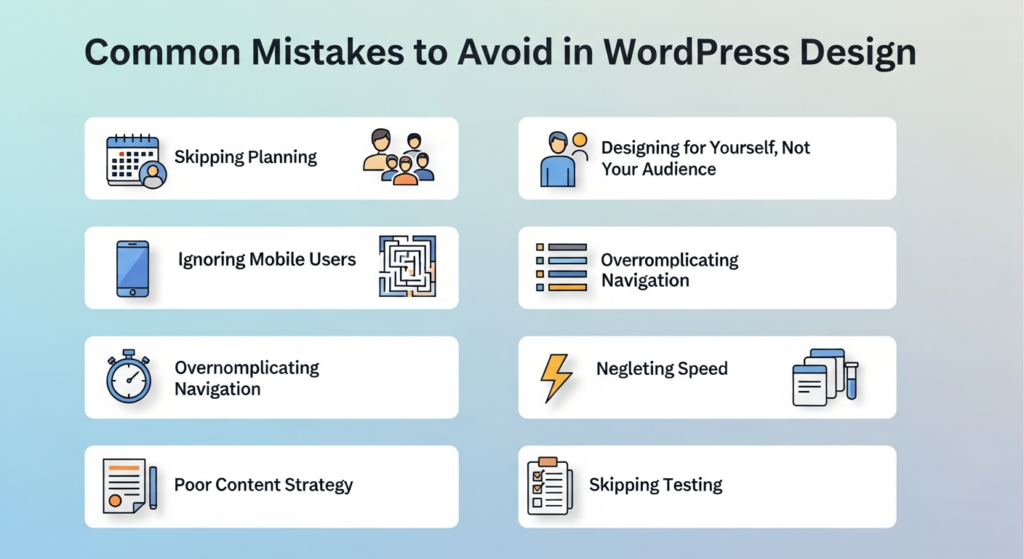
Skipping Planning
Jumping straight to design without research and strategy wastes time and money.
I’ve seen projects restart completely because initial planning was insufficient. Spend time upfront understanding goals, audience, and requirements. An insurance broker in Muscat wanted a “modern site.” After we clarified their three different audience types and goals for each, the entire approach changed. Planning saved them a costly redesign.
Designing for Yourself, Not Your Audience
Your personal preferences don’t matter. Your audience’s needs do.
Business owners often want features they think are cool rather than what converts visitors. Data and user research should guide design decisions, not opinions. Test with real users when possible.
Ignoring Mobile Users
Designing desktop-first in 2026 is backwards.
Start with mobile design. It forces priority decisions and ensures mobile experience is excellent. A restaurant group in Valencia launched desktop-only. Mobile users (65% of their traffic) bounced immediately. Emergency mobile redesign cost them extra time and money.
Overcomplicating Navigation
Fancy mega-menus and complex structures confuse users.
Keep navigation simple and intuitive. Users should find what they need in 2-3 clicks maximum. Clear labels, logical grouping, search functionality for large sites.
Neglecting Speed
Beautiful designs mean nothing if they load slowly.
Optimize images, minimize plugins, clean code, use caching. Test on real devices with real connections, not just your office’s high-speed internet. Speed is a feature, not an afterthought.
Poor Content Strategy
Design showcases content. Without good content, even beautiful design fails.
Plan content before design. Know what you’re saying before deciding how it looks. A legal firm in Tallinn had gorgeous custom design but unclear, jargon-heavy content. Visitors left confused despite the beautiful interface.
Skipping Testing
Launching without thorough testing invites disaster.
Test everything. Forms, links, checkout, mobile, browsers, speed, security. I’ve seen sites launch with broken contact forms—instant revenue loss. Testing catches problems before they cost money.
Frequently Asked Questions
How long does custom WordPress design take?
Typically 8-16 weeks depending on complexity. Simple sites take 6-8 weeks, complex e-commerce or custom applications take 12-24 weeks.
Is custom design worth the cost over themes?
For businesses serious about results, absolutely. Custom design provides better performance, unique branding, conversion optimization, and competitive advantage that themes can’t match.
Can I update my custom site myself?
Yes. Custom WordPress website designs include easy content management. You can update text, images, blog posts, and products without coding knowledge.
What happens if my designer disappears?
Work with established agencies or get full source code and documentation. Your site should never be locked to one person. Ensure you own all files and have backups.
How much does maintenance cost after launch?
Monthly maintenance typically runs $100-500 depending on site complexity. This covers updates, backups, security monitoring, and minor changes.
Conclusion
Custom WordPress website design transforms how your business appears online. It’s not just aesthetics—it’s strategy, performance, and conversion optimization wrapped into one unique package.
The investment is significant, but so are the returns. Better conversions, stronger brand presence, improved SEO, competitive differentiation—these compound over time.
Start with clear goals. Understand your audience. Choose experienced designers who think strategically. Invest in proper planning. Don’t rush the process.
Your website represents your business 24/7 to the entire world. Make it count.
Ready to build something unique? Research designers now. Review portfolios carefully. Ask tough questions. Find partners who understand both design and business strategy.
Your competitors are using templates. Stand out with a custom design that converts.